> For the complete documentation index, see [llms.txt](https://help.chatlyai.app/llms.txt). Markdown versions of documentation pages are available by appending `.md` to page URLs; this page is available as [Markdown](https://help.chatlyai.app/products-and-features/ai-slides/what-are-ai-slides.md).
# What are AI Slides?
AI Slides is an AI-powered presentation workspace that enables deck generation, visual storytelling, layout design, and contextual understanding of topics through natural language instructions.
### Getting Started with AI Slides
AI Slides offers two distinct generation modes for your presentations:
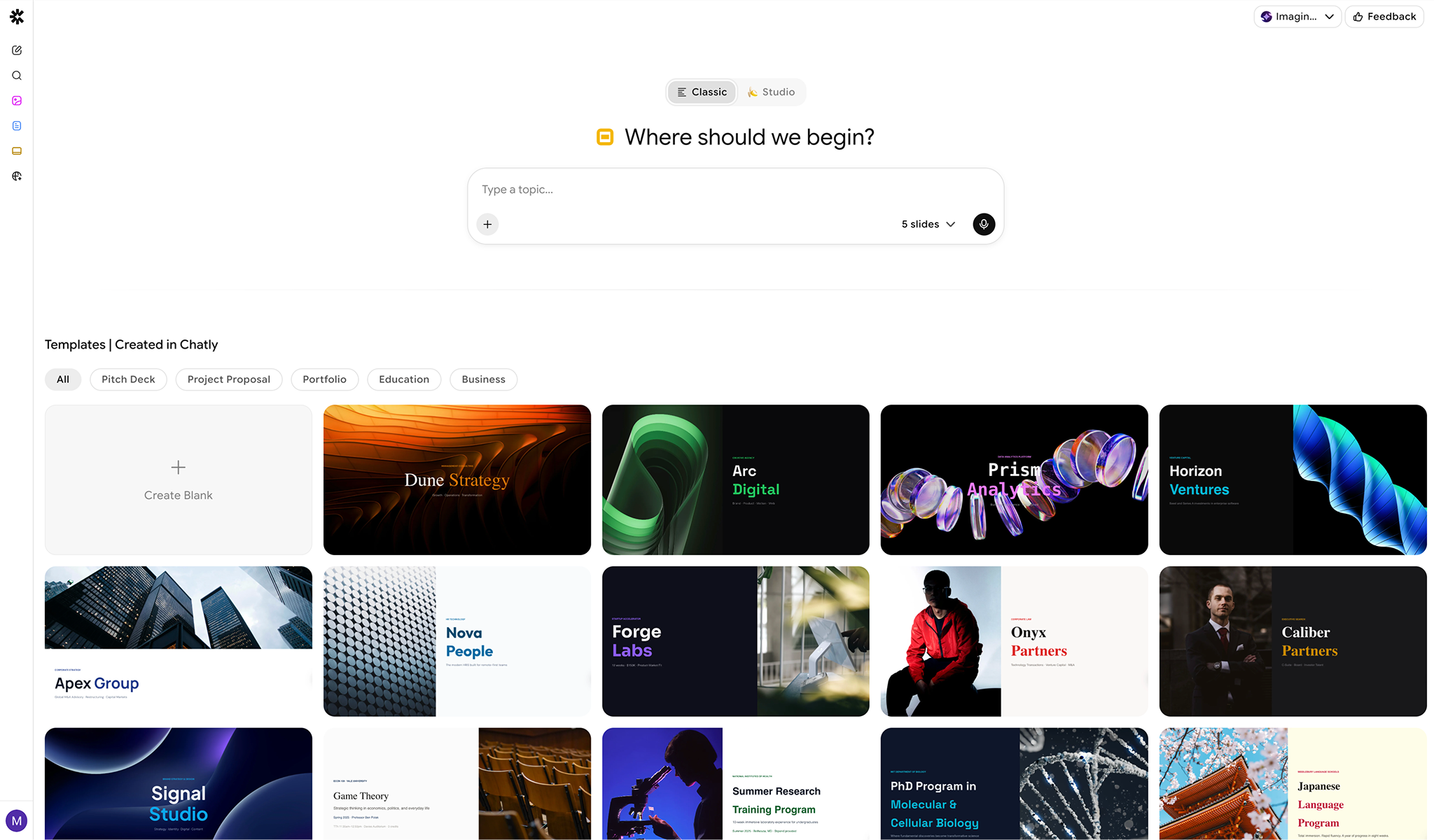
* **Classic Mode**: Generates classic slides with standard layouts and editable elements.
* **Studio Mode**: Generates Nano Banana slides, where all slides and their content are rendered entirely as high-quality images.
You can create a presentation in two ways:
* **Prompt-based creation** – Describe your topic or paste an outline, and AI generates a fully designed slide deck.
* **Templates** – Choose from pre-built themes for common use cases. You can choose from:
* Pitch Decks
* Project proposal
* Portfolio
* Education
* Business
### Designing and Editing with AI
AI Slides allows you to improve your presentations using:
1. **Edit with Chat** – Create new slides, generate images, or change layouts through conversation with AI.
2. **Auto Design** – Automatically adjust fonts, colors, and alignment to match professional design standards.
3. **Shorten** – Summarize dense paragraphs into concise, easy-to-read bullet points suitable for slides.
4. **Expand** – Elaborate on brief points to fill a slide or generate accompanying speaker notes.
All AI changes can be reviewed and edited manually at any time.
### Manual Editing & Rich Content
In addition to AI editing, you can:
* Manually edit text and formatting
* Insert images and links
* Mix AI-generated and human-written content seamlessly
* Customize layouts and structure freely
AI Slides works like a full presentation editor with AI assistance built in.
### Files, Images & Attachments
You can upload files to generate slides from or to use as reference context.
* **Documents**: `.pdf`, `.docx`, `.pptx`, `.xlsx`, `.txt`, `.csv`, `.json`, `.md`, `.html`, `.epub`
* **Images**: `.jpg`, `.jpeg`, `.png`, `.gif`, `.webp`
* **File size**: up to 25 MB per file.
* **Maximum files per document**: Up to 5 files
* **Maximum file size**: 20 MB per file
### AI Tools Available in Slides
AI Slides supports the following AI-powered actions to help build your deck:
* Search documents
* Understand images
* Analyze External Links Provided
* **Search the internet** to gather and reference information
These tools help enrich your document with context, research, and external data.
### Exporting Documents
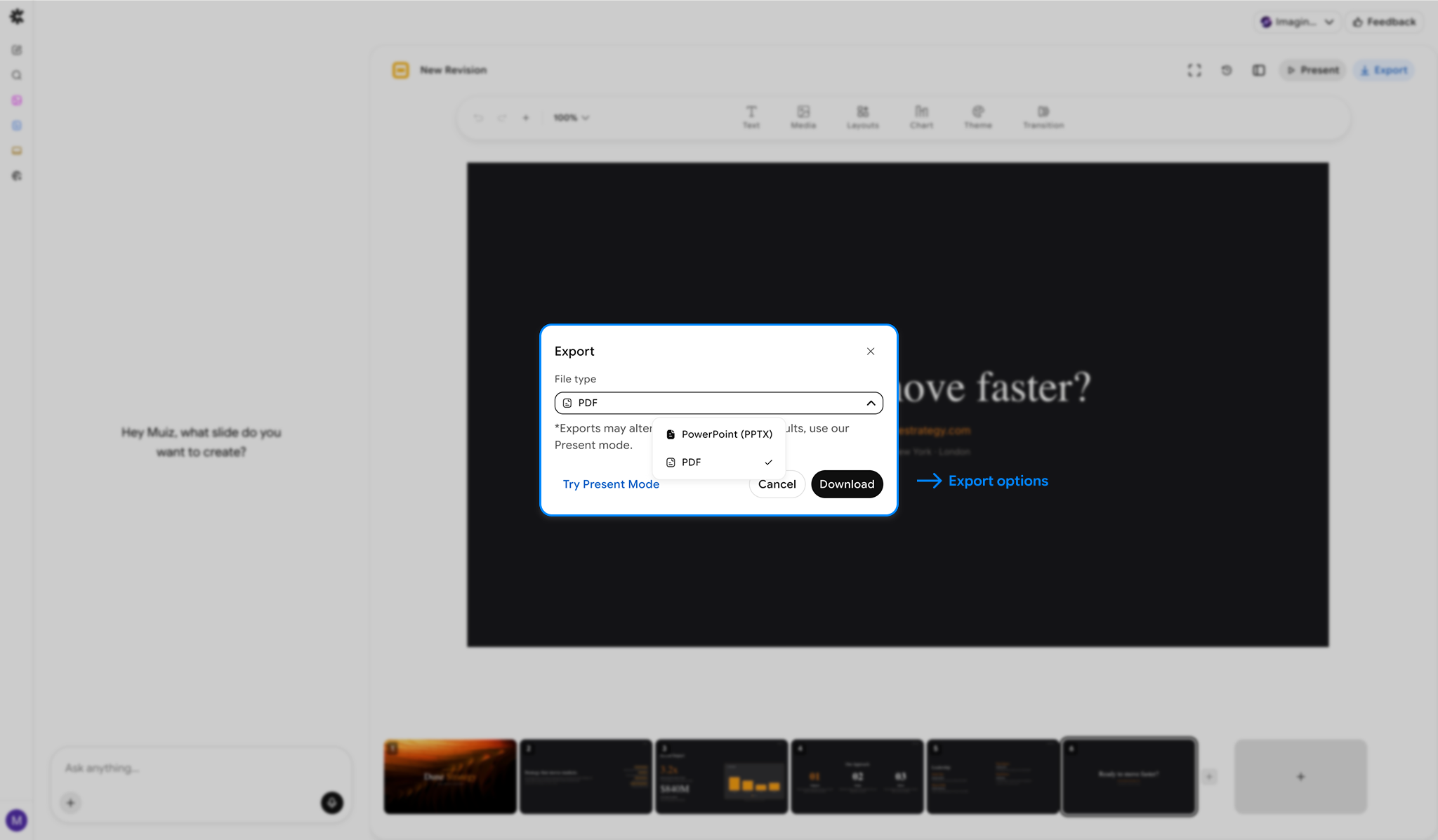
You can manually export your slides in standard formats for sharing and publishing.
#### Supported Export Formats
* PPTX
* PDF
Exports preserve structure, formatting, and embedded content.
### Present Mode
Launch a full-screen presentation instantly within Chatly to share your ideas without downloading files.
---
# Agent Instructions
This documentation is published with GitBook. GitBook is the documentation platform designed so that both humans and AI agents can read, navigate, and reason over technical content effectively. Learn more at gitbook.com.
## Querying This Documentation
If you need additional information that is not directly available in this page, you can query the documentation dynamically by asking a question.
Perform an HTTP GET request on the current page URL with the `ask` query parameter, and the optional `goal` query parameter:
```
GET https://help.chatlyai.app/products-and-features/ai-slides/what-are-ai-slides.md?ask=&goal=
```
`ask` is the immediate question: it should be specific, self-contained, and written in natural language.
`goal` is optional and describes the broader end goal you are ultimately trying to accomplish on behalf of the user. GitBook uses it to tailor the answer towards what is most useful for that goal.
The response will contain a direct answer to the question and relevant excerpts and sources from the documentation.
Use this mechanism when the answer is not explicitly present in the current page, you need clarification or additional context, or you want to retrieve related documentation sections.