> For the complete documentation index, see [llms.txt](https://help.chatlyai.app/llms.txt). Markdown versions of documentation pages are available by appending `.md` to page URLs; this page is available as [Markdown](https://help.chatlyai.app/getting-started/how-chatly-works.md).
# How Does Chatly Work?
## Navigating the Dashboard
The dashboard is the central workspace in Chatly. It provides access to all tools, history, account management, and support options in one place. At its centre is the “Ask anything” box — type a request and Chatly’s OmniAgent selects the right models and tools. You can also switch between Think, Pro and Ultra modes.
### Tools Section
The Tools section lists all core functions, each available with a single click.
1. **AI Chat**\
Start a conversation to ask questions, draft content, or explore ideas.\
*Example: “List three creative marketing strategies for 2025.”*
2. **Image Generation**
Convert written prompts into images.\
*Example: “Generate an image of a futuristic city skyline at sunset.”*
3. **AI Docs**
Create, edit, and manage documents with AI assistance. Generate content from prompts or templates, refine sections, summarize text, and export polished documents in standard formats.\
*Example**:** “Create a project proposal using a professional tone with clear sections and a summary.”*
4. **AI Slides**
Instantly generate professional presentations from text prompts or existing documents. Create outlines, customize layouts, and export ready-to-use decks. Example: “Create an investor pitch deck for a new mobile app.”
5. **AI Videos**\
Turn scripts or prompts into videos with AI-generated visuals, voiceovers, and captions. Example: "Create a 60-second explainer video about how solar panels work."
6. **AI Music** \
Generate original music tracks, jingles, and soundtracks from text prompts. Example: "Create an upbeat lo-fi hip-hop track for a study playlist."
7. **OmniAgent**\
Create images, videos, and music with one AI agent. Just ask, and OmniAgent handles the rest
8. **Connectors** \
Connect your favourite apps and services so Chatly can work across your tools.
9. **AI Market (Skills)**\
Discover tools, skills, and agents, and call them from the prompt with a / command.
10. **Schedules** \
Automate your agent to run tasks on a schedule, even while you sleep.
11. **Sources** \
Connect files and data once and reuse them across chats and projects.
### Chat History
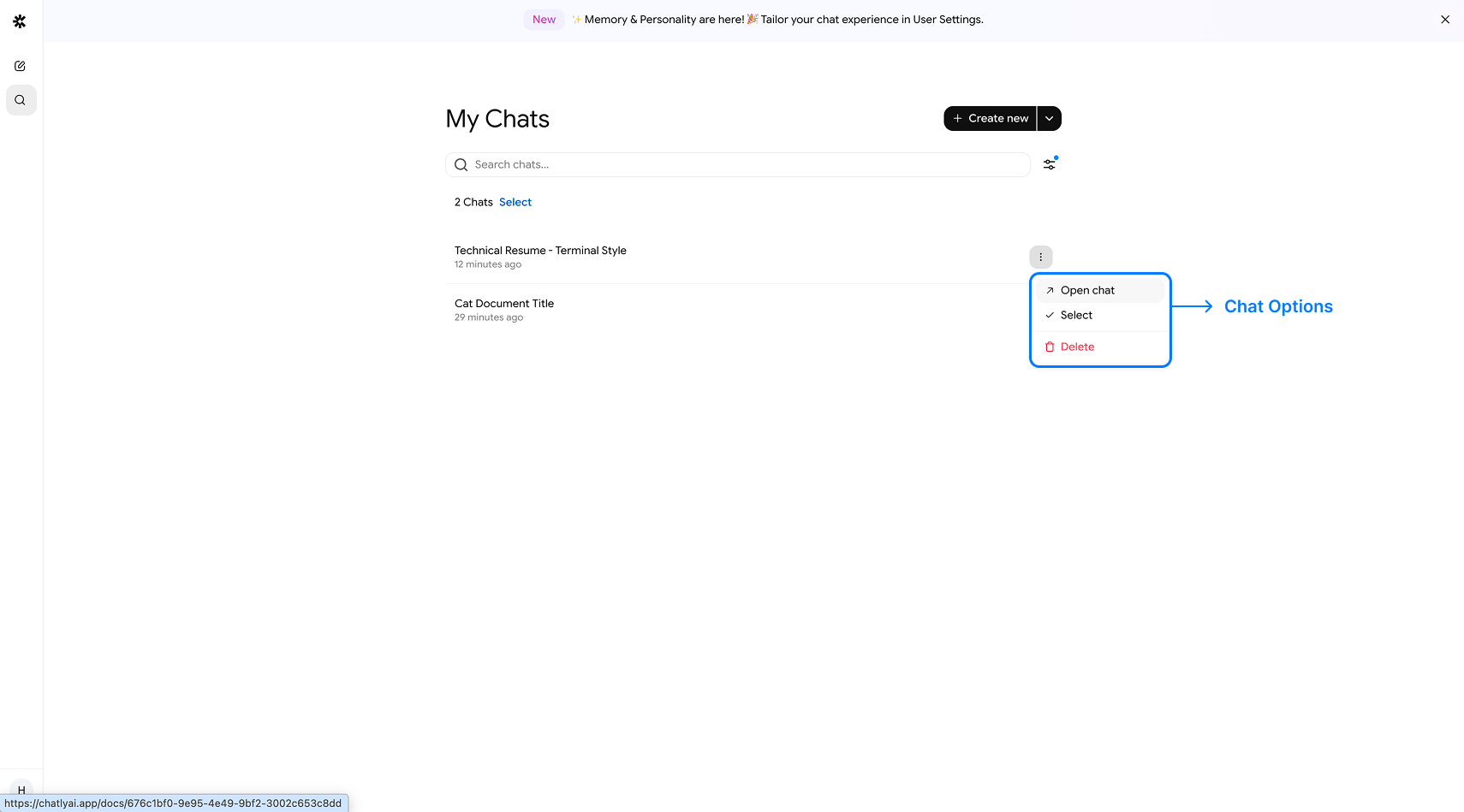
The Search Chats panel allows you to:
* Review previous sessions
* Filter Chat Sessions based on the Feature you used
* Revisit and refine past queries
* Continue a conversation without starting over
* Bulk Delete Chats by selecting them
* You can **pin**, **unpin**, **rename** and **delete** any history item from the left nav bar
### Pricing Page
The [Pricing Plans section](/subscription-and-billing/payments-plans.md) provides subscription management. You can:
* View available plans
* View your credits and compare plan options
* Update billing or payment information
### Support Section
For assistance, the Support section allows direct contact with the Chatly team at [**support@chatlyai.app**](mailto:support@chatlyai.app)**.** Submit requests or report issues by email.
---
# Agent Instructions
This documentation is published with GitBook. GitBook is the documentation platform designed so that both humans and AI agents can read, navigate, and reason over technical content effectively. Learn more at gitbook.com.
## Querying This Documentation
If you need additional information that is not directly available in this page, you can query the documentation dynamically by asking a question.
Perform an HTTP GET request on the current page URL with the `ask` query parameter, and the optional `goal` query parameter:
```
GET https://help.chatlyai.app/getting-started/how-chatly-works.md?ask=&goal=
```
`ask` is the immediate question: it should be specific, self-contained, and written in natural language.
`goal` is optional and describes the broader end goal you are ultimately trying to accomplish on behalf of the user. GitBook uses it to tailor the answer towards what is most useful for that goal.
The response will contain a direct answer to the question and relevant excerpts and sources from the documentation.
Use this mechanism when the answer is not explicitly present in the current page, you need clarification or additional context, or you want to retrieve related documentation sections.